
In development. The Android app is in testing.

Find something worth trying.

Givago suggests small experiences you keep meaning to get to, offers a smaller version when the full one does not fit your day, and keeps a private record of what you actually did.

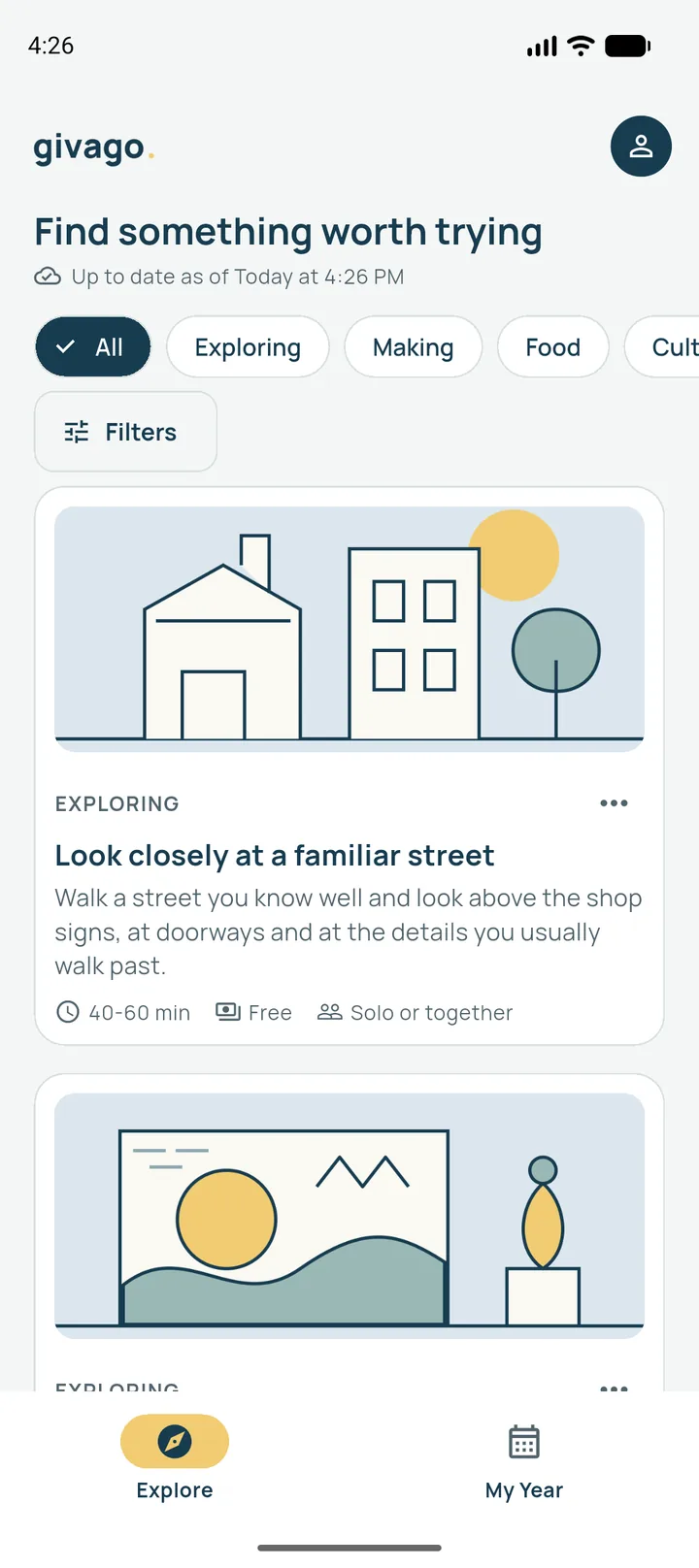
The Explore screen in the Givago app, showing the idea Look closely at a familiar street with its time, cost and company estimates.

The idea behind it

Every idea comes in a size that fits.

Most things you mean to try stay on the list because the full version needs a free afternoon. Each idea in Givago also has a smaller version with its own steps, time and cost, so a spare half hour is enough to start.

This is a real idea from the app's catalogue. Switch between its two versions.

EXPLORING

Look closely at a familiar street

Walk a street you know well and look above the shop signs, at doorways and at the details you usually walk past.

Walk the whole street slowly 40-60 min Free Outdoors

  1. Pick a street you walk often, ideally one with older buildings or shops.
  2. Walk it end to end at half your usual pace, looking above the ground floor.
  3. Find three things you had never noticed: a date on a building, an old sign, an odd door.
  4. At the end, decide which one you would point out to a friend.
How it works

From an idea to something you did.

01

Browse ideas that fit your day

Explore six kinds of experience: exploring, making, food, culture, outdoors and learning. Filter by time, cost, company and indoors or out. Filters are firm: if nothing fits, Givago says so instead of quietly showing you something that doesn't.

Explore screen with category filters and idea cards.

02

Choose the full or smaller version

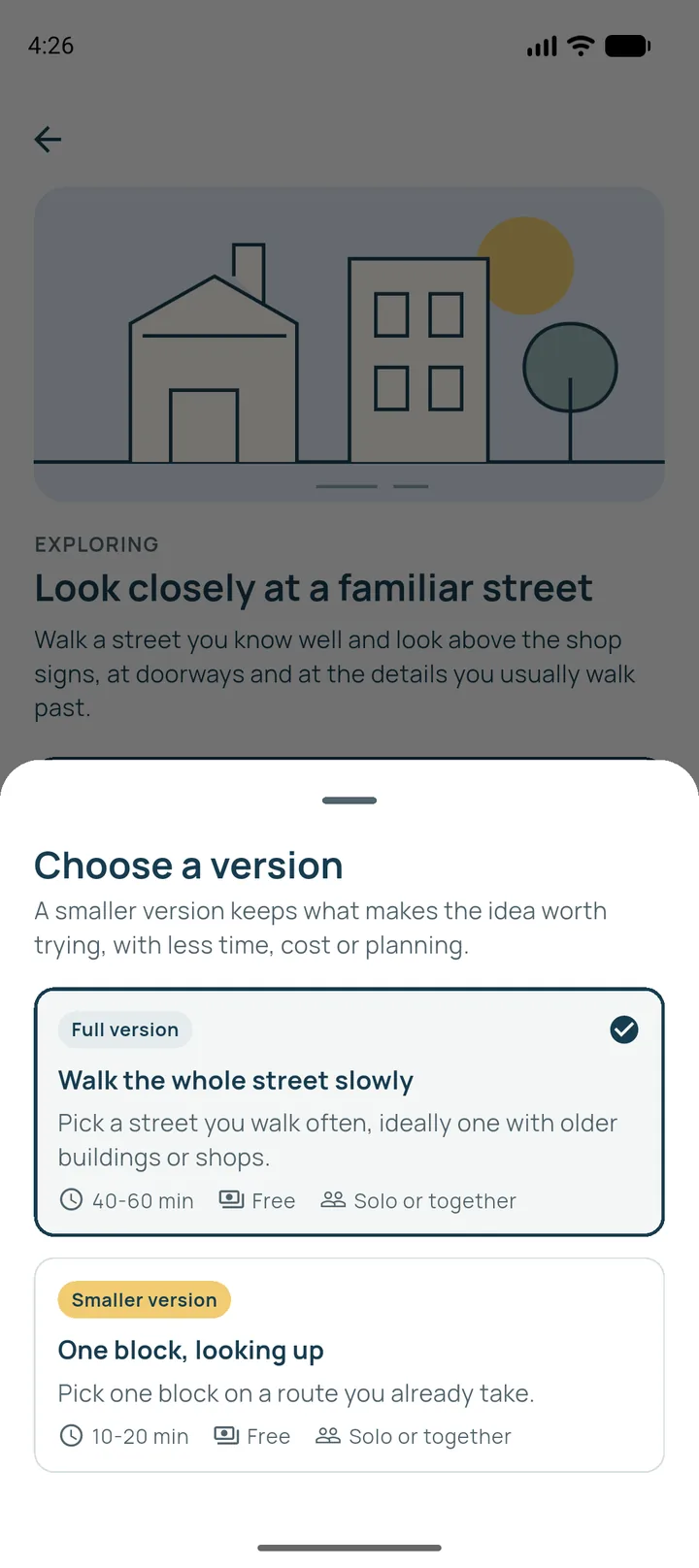
Open an idea to see its steps and what you need before you start. Pick the version you will actually do, then tap Give it a go. It is saved to your phone straight away, with a copy of the exact version you chose.

The version sheet comparing the full version, Walk the whole street slowly, 40 to 60 minutes, with the smaller version, One block, looking up, 10 to 20 minutes.

03

Write down what happened

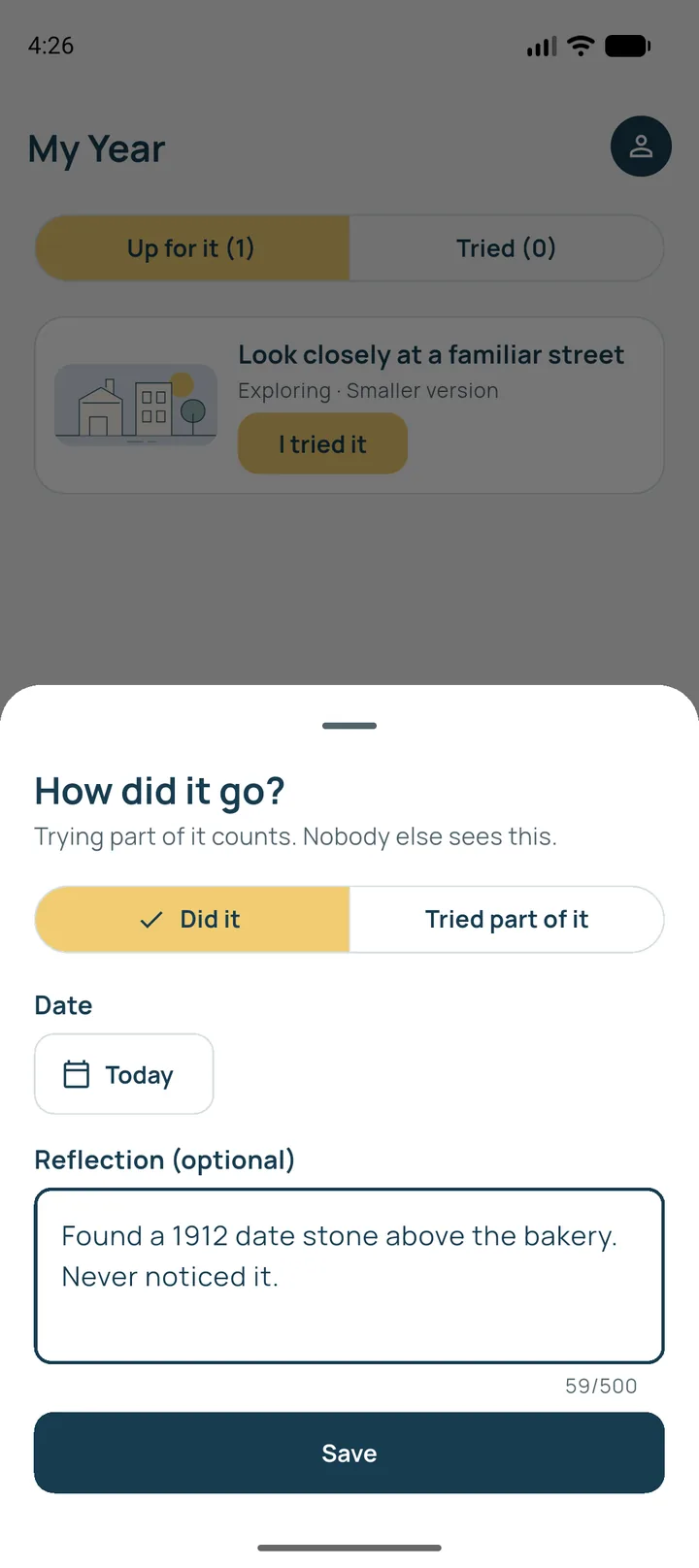
When you have tried it, record whether you did it or tried part of it, the day, and a short note if you want one. Trying part of something counts. Nobody else sees it, and nobody approves it.

The How did it go sheet with Did it selected, today's date and a short reflection.

04

Keep your year on your phone

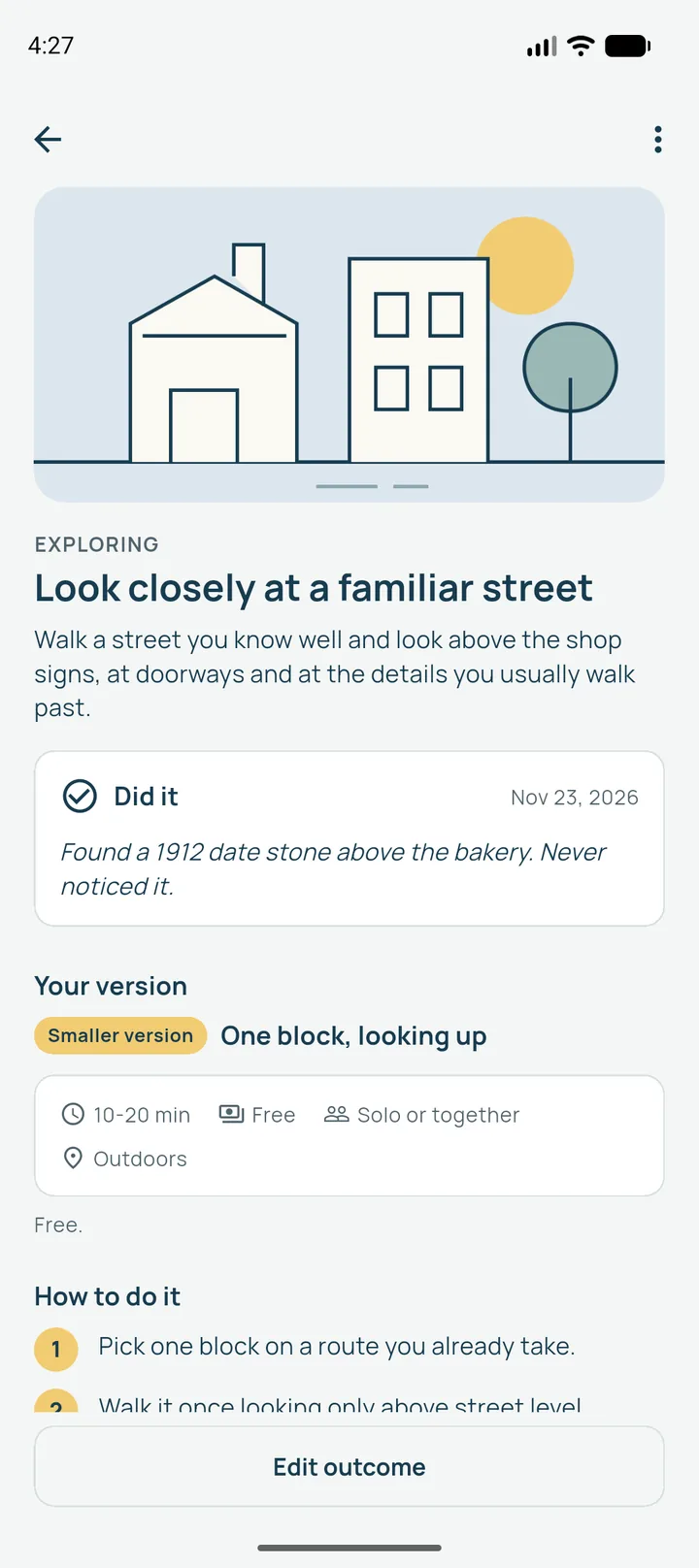
My Year holds what you are up for and what you have tried. It works offline, it needs no account, and a later change to the catalogue never rewrites what you recorded.

A saved entry showing Did it on Nov 23, 2026, the reflection, and the smaller version that was chosen.

Screenshots are from the current Android build. The entry shown is sample data.

Six kinds of experience

Quiet ones, social ones, short ones and long ones.

Exploring

Making

Food

Culture

Outdoors

Learning

What it leaves out

Built to be useful on your own.

  • No streaks or overdue reminders An idea can stay in Up for it as long as you like.
  • No public scores or likes Your totals are private. There is no leaderboard.
  • No account needed Everything you record is stored on your phone.
  • No photo proof You decide whether you did it. A short note is optional.

How it's built

A Flutter app with its own API.

Givago started as a course project at BCIT. It works offline, keeps your records on your phone, and has its own backend.

Flutter on Android

Plain ChangeNotifier controllers and repositories. Widgets never talk to the database or network directly.

SQLite on the phone

Entries, preferences and a cached catalogue live in a local database with the same rules the server enforces.

TypeScript API

Express and PostgreSQL serve the catalogue with ETags, so the app downloads it once and works offline after that.

Tested on both sides

Unit, database and widget tests in Flutter, and API integration tests against a real PostgreSQL database.